Tab
原始文档链接 / Source
Antigravity Editor: Tab & Navigation
This guide covers the core navigation and completion tools: Supercomplete, Tab-to-Jump, and Tab-to-Import.
Supercomplete
Supercomplete provides code suggestions in a region near your current cursor position
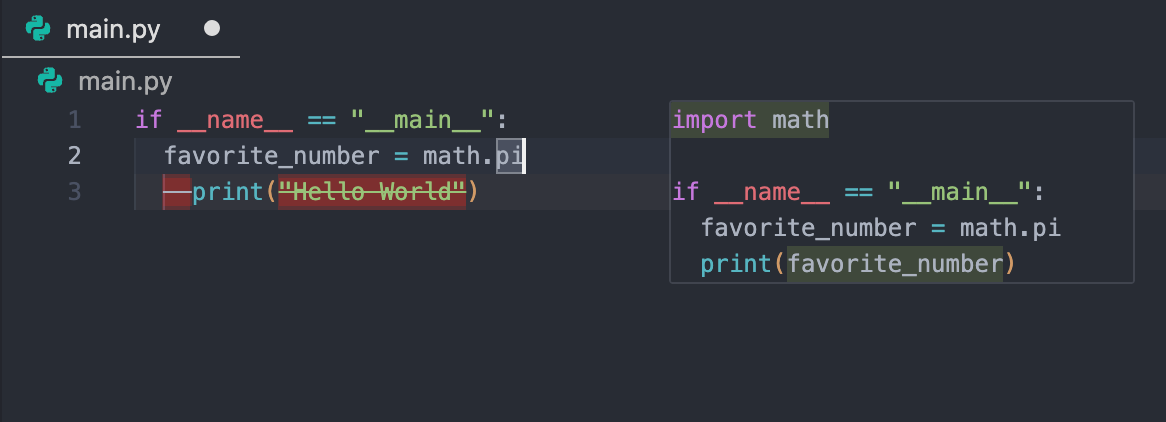
.
How it Works
- File-Wide Suggestions:
- Accepting:
Tab-to-Jump
Tab-to-Jump is a fluid navigation tool that suggests the next logical place in your document to move your cursor to
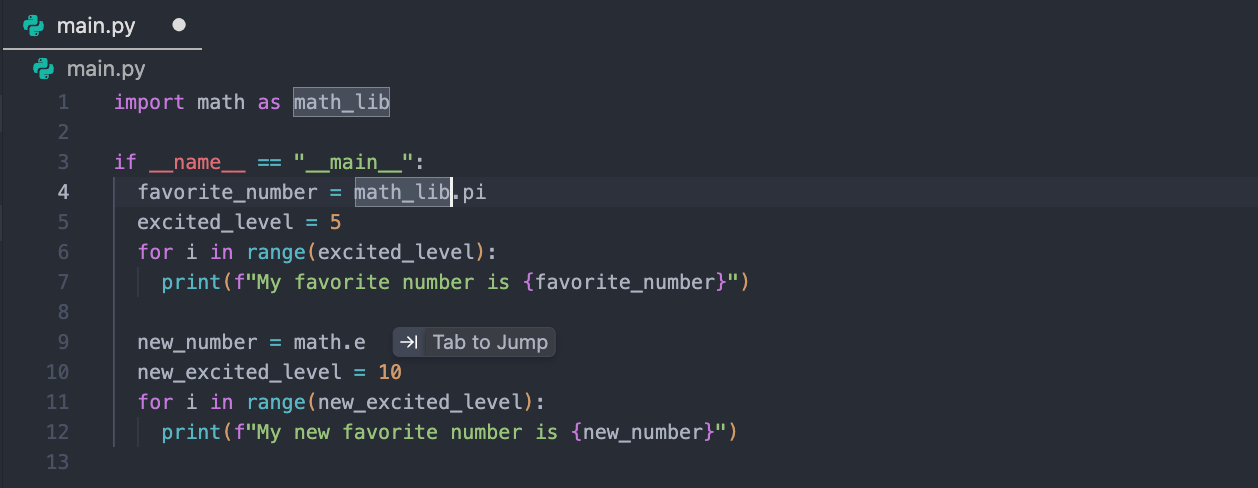
.
How it Works
- A "Tab to jump" icon will appear offering to move your cursor to where your next logical edit will be. Pressing
Tabinstantly moves your cursor to that location. - Accepting:
Tab-to-Import
Tab-to-Import handles missing dependencies without breaking your flow
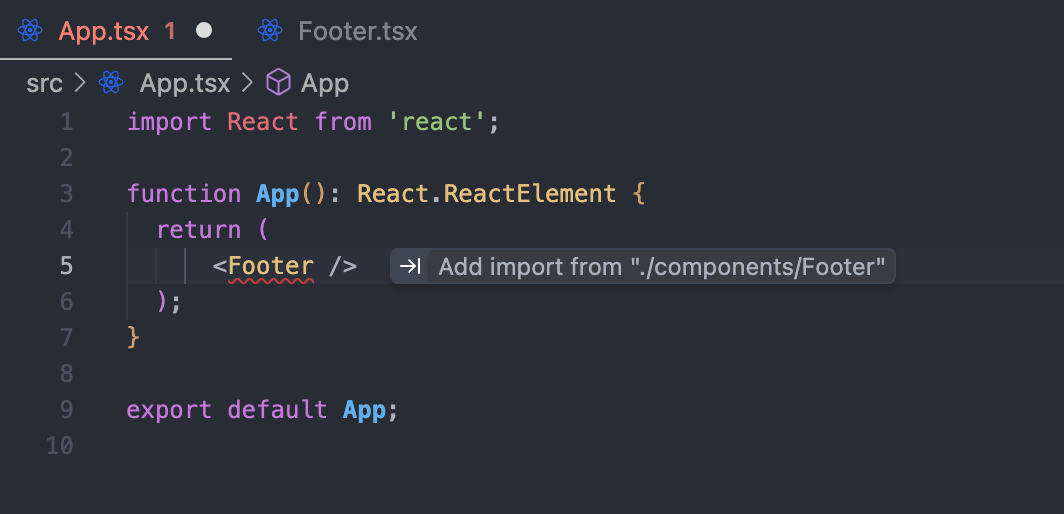
.
How it Works
- Detection:
- Action:
Settings
In your settings, you can customize the behavior of these features:
- Enable/Disable Features:
- Tab Speed:
Slow: Waits for more context before suggesting.Default: Offers a balanced pace.Fast: Provides rapid-fire suggestions.- Highlight Inserted Text:
- Clipboard Context:
- Allow Gitignored Files: