Allowlist / Denylist
原始文档链接 / Source
Allowlist / Denylist
The browser uses a two-layer security system to control which URLs can be accessed:
- Denylist - Deny dangerous/malicious URLs
- Allowlist - Explicitly allow trusted URLs
How It Works
Denylist
The denylist is maintained and enforced using the Google Superroots’s BadUrlsChecker service (See documentation). When the browser attempts to navigate to a URL, the hostname is checked against the server-side denylist via RPC.
NOTE: If the server is unavailable, access is denied by default.
Allowlist
The allowlist is a local text file that you can edit to explicitly trust specific URLs
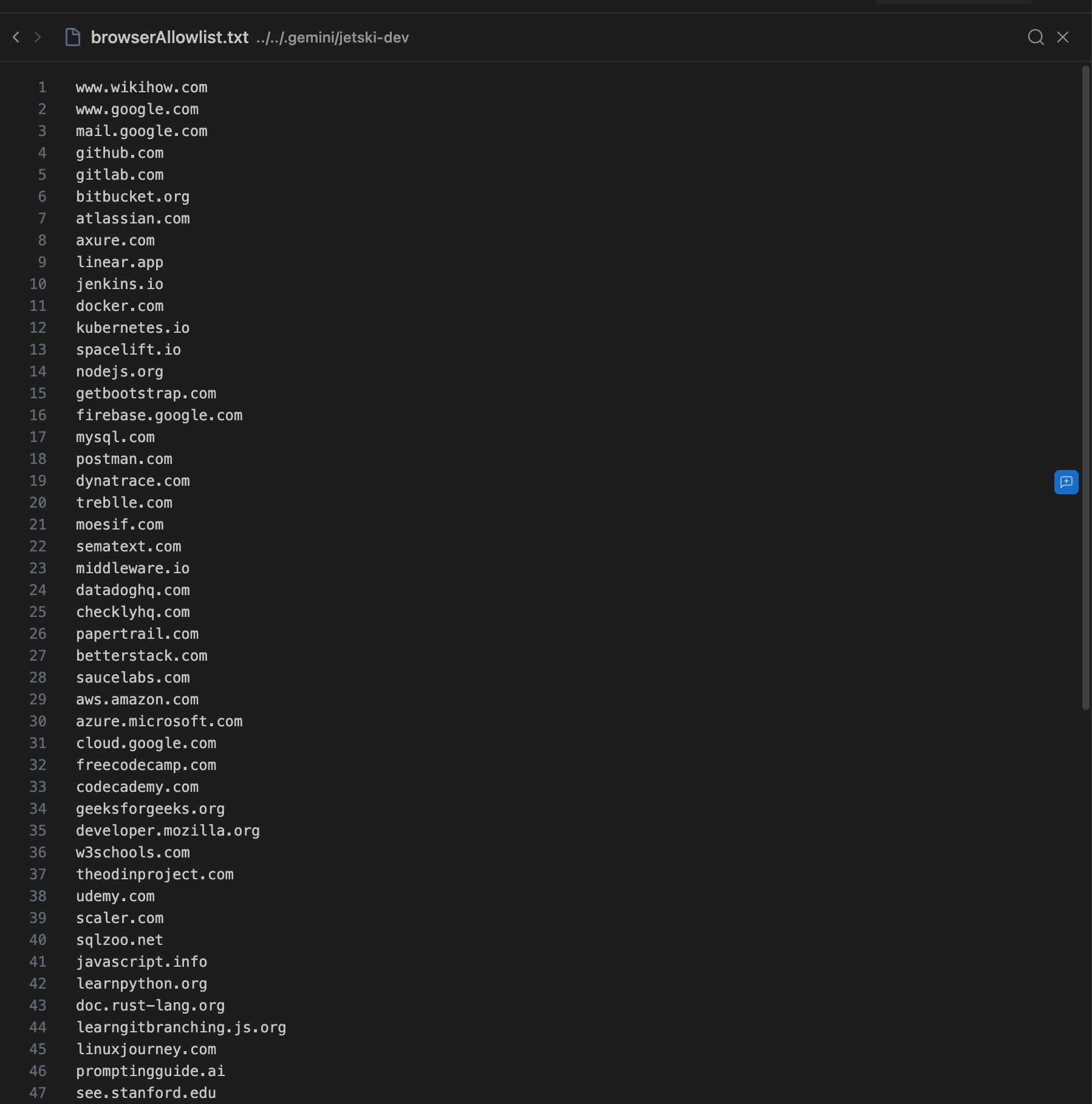
.
Optionally, you can prepopulate the allowlist with a default set of URLs during onboarding
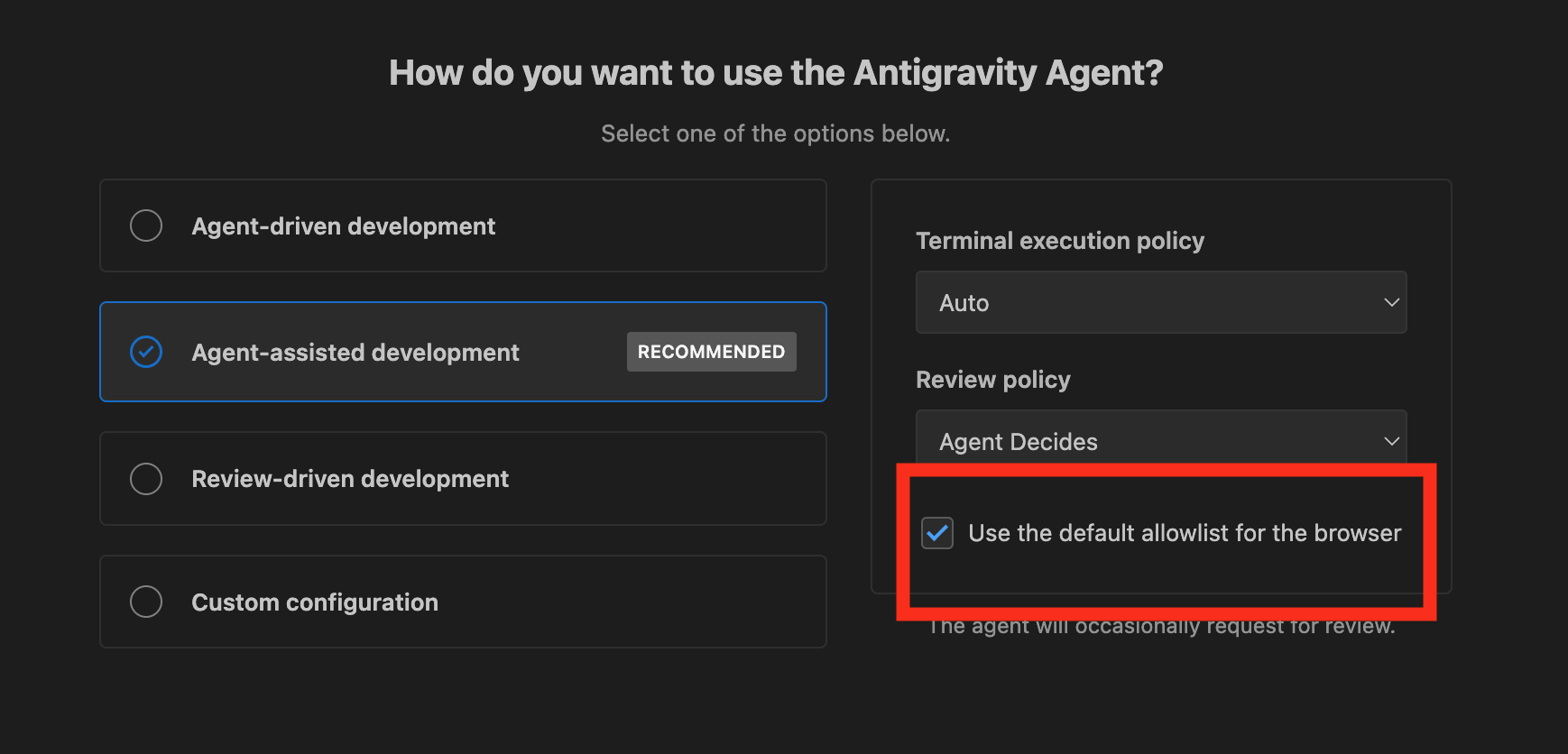
.
When the browser attempts to navigate to a non-allowlisted URL, it will prompt you with an “always allow” button, which if clicked will add the URL to the allowlist and enable the browser to open and interact with the web page. An example situation is shown below:
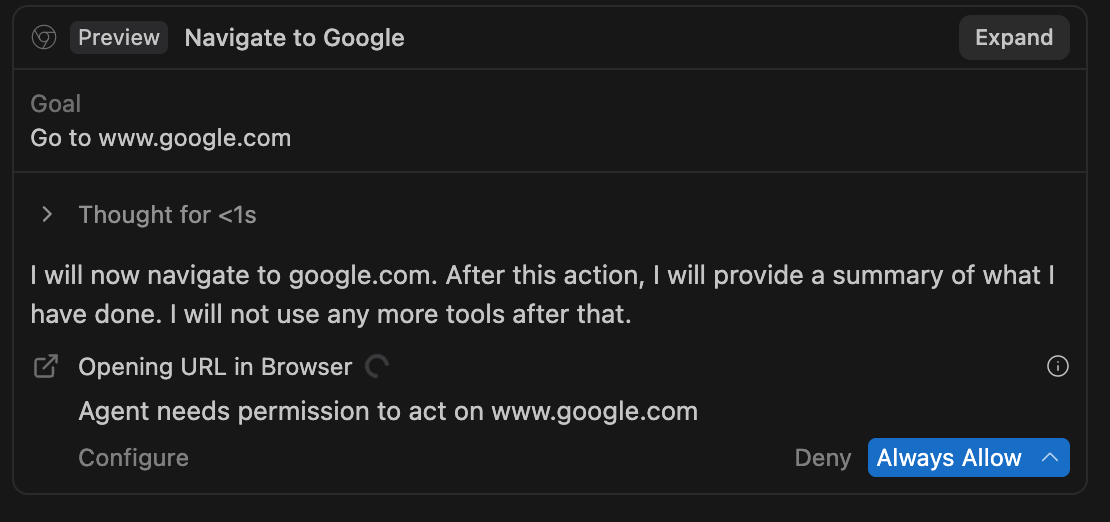
You can also add/remove URLS from the allowlist manually. However, the denylist always takes precedence: you cannot allowlist a URL that appears on the denylist.