Task Groups
原始文档链接 / Source
Task Groups
When Agent is in planning mode, large and complex tasks are handled with Task Groups, which break down these problems into smaller, more approachable units of work. Oftentimes, Agent will work on multiple parts of the greater task at the same time, and task sections are how these changes are presented to the user. Here is an example task group
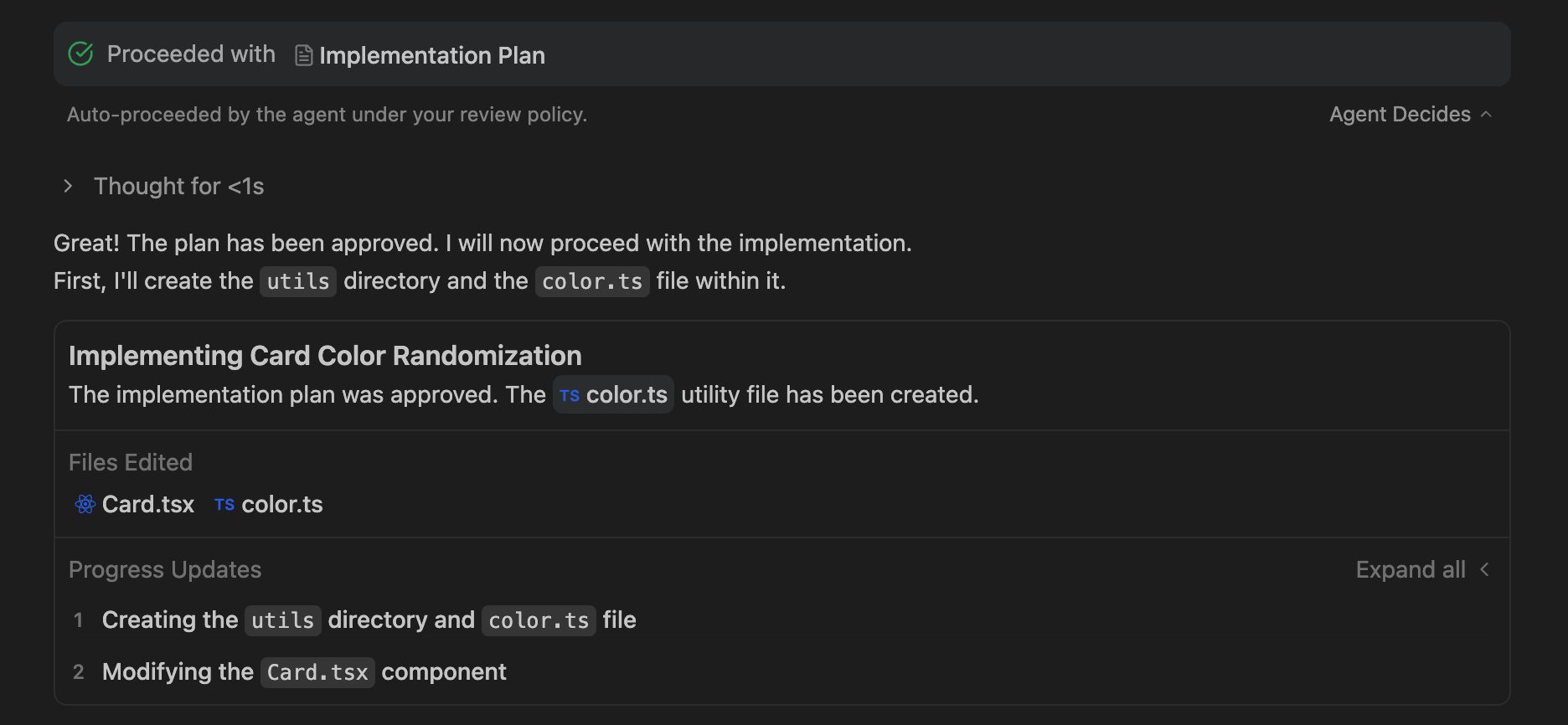
.
The top component of the task group specifies the overarching goal of this task as well as summarizes the changes made within this unit of work. There is also a section of edited files for quick user audit of changes: click on the file pill and you will view the current state of the changed files
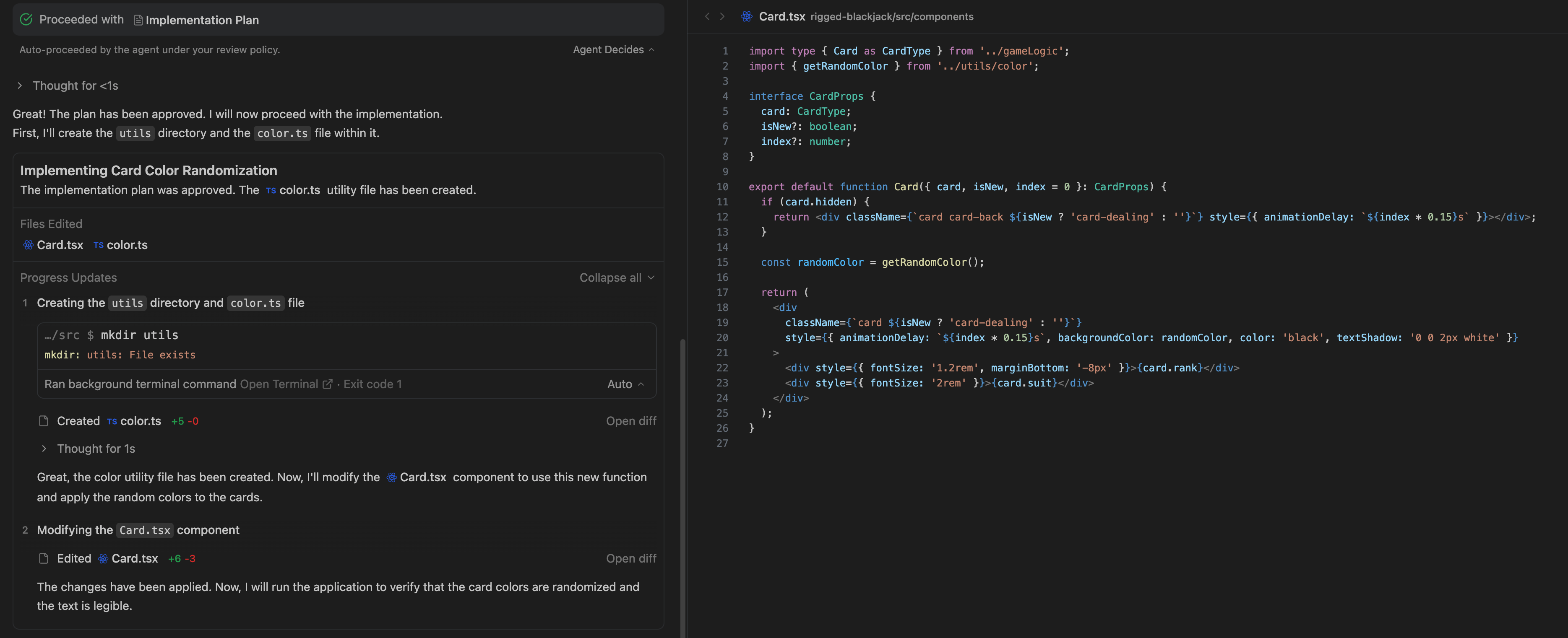
.
Within a task group, Agent identifies subtasks that help modularize necessary changes, and all work done by the Agent is viewable within these progress update sections. By default, the details in each subtask are not directly exposed to the user, but if you are interested, there is a toggle that will expand on the exact steps that Agent made
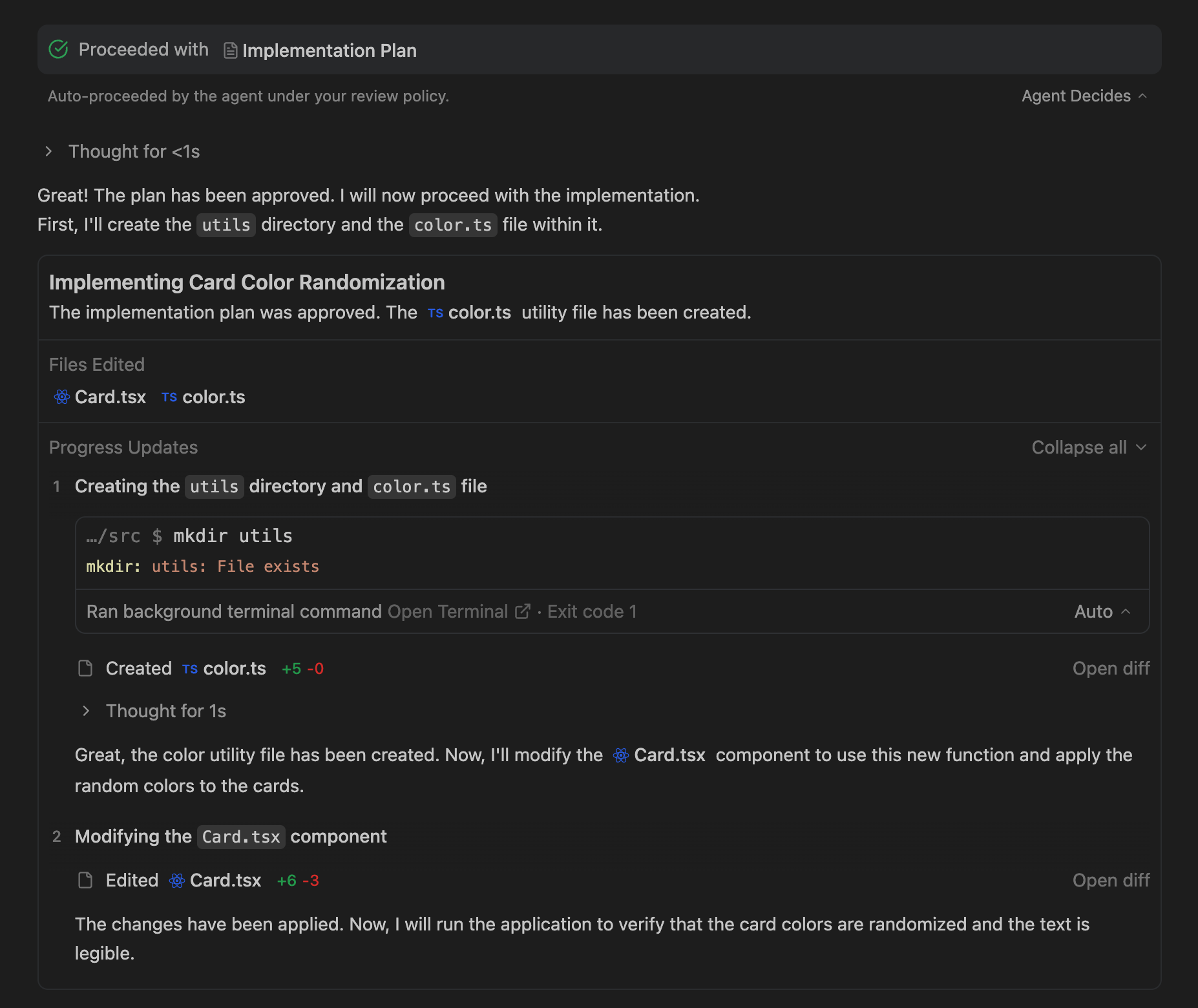
.
Sometimes, there are pending steps, such as browser setup or terminal commands requiring approval, that are created inside these progress updates. In this case, instead of expanding all of the updates, Agent provides a special section at the end of the task group where you can review these pending steps accordingly
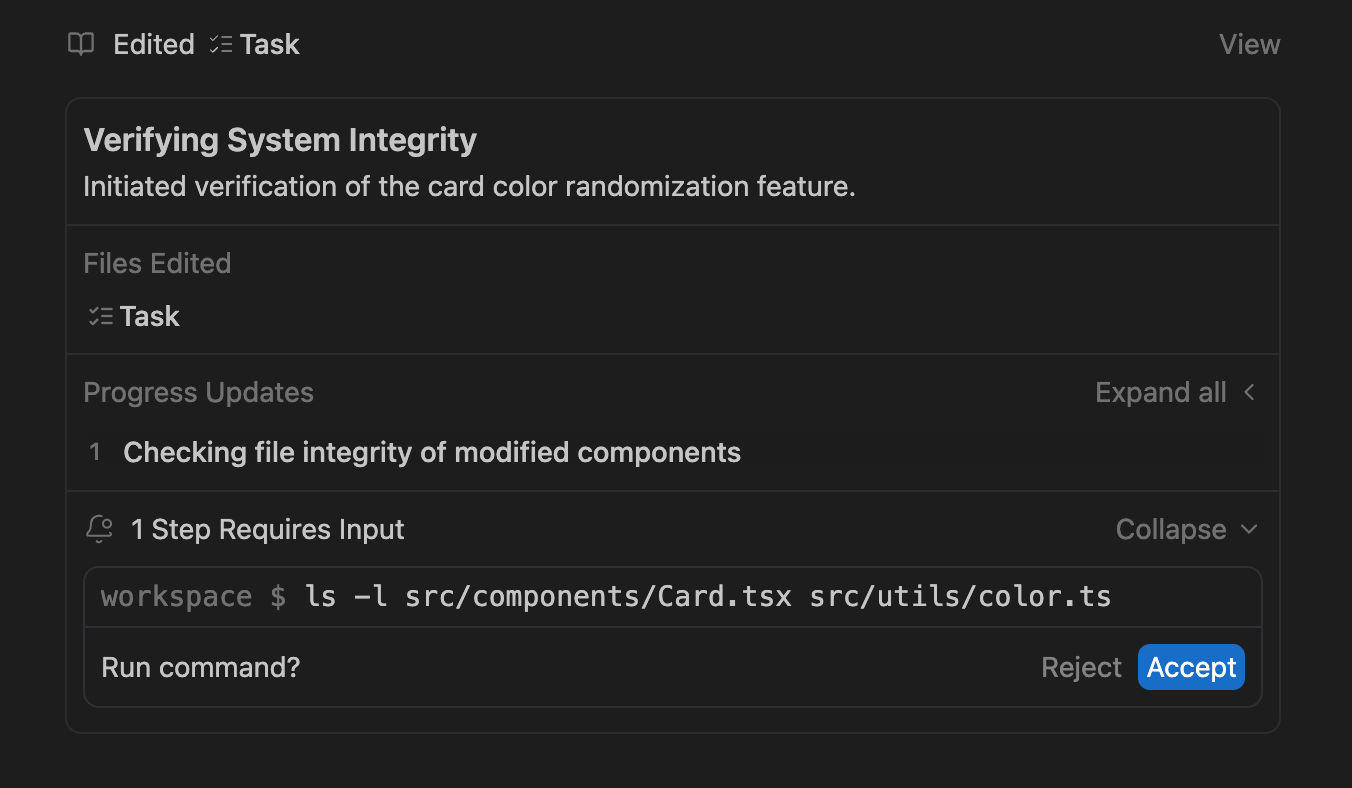
.